How to use your barcode
1. Insert the barcode image into the design for your packaging
When you order a “barcode package” from our company you will receive your barcode by email. The email will contain: your unique EAN-13 number; your barcode-images; your guarantee certificate; and instructions for how to register your barcode-number.
After you receive your product file, you just need to choose your preferred image format (e.g. jpeg) and insert that image into the design for your product packaging/label (before printing). You can resize the barcode image if necessary, so that it fits onto your packaging. The barcode images we send are in the standard size (38mm wide x 25mm high), however you can safely resize them to about 80% of this (30mm wide x 20mm high).
2. Print the product packaging
After you are happy with the position of your barcode on the design for the label/packaging, you can get your label/packaging printed. We recommend printing a sample first, so that you can make sure that the printed barcode looks okay and scans easily.
3. Give your product to your retailers
After all of your labels/packaging have been printed (with the barcodes on them) you can give your product to the retail stores, and ask your retailers to enter the barcode number and product details into their system. (Company name, Contact and address, Price, number of items supplied etc).
Your retailer will usually scan your barcode into their computer, and then enter all the relevant product details in (price; product name and description; re-ordering information).
After that, when your retailer scans the barcode, your product information will appear on the retailer’s computer screen.
4. Retailer System not reading barcode image
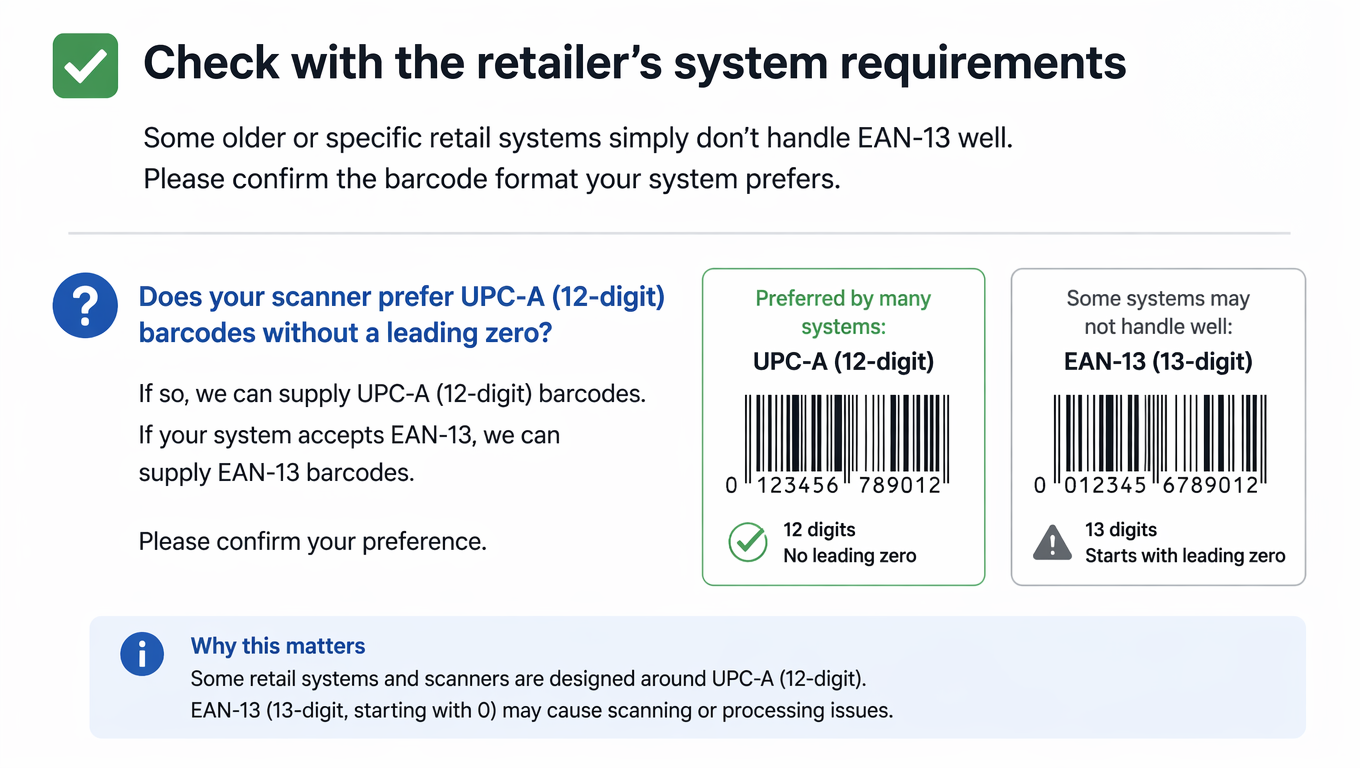
Your barcode number(s) are always in the purchase email. BARCODES in format (with the leading 0), is an EAN13 number.
It can also be used in 12 digit form without the leading 0 (UPC-A format).
Some retailers have systems that prefer numbers without a leading 0. See https://barcodesuganda.com/difference-upc-ean-13-barcodes/ for more details. We recommend that you print as supplied in EAN13 format, and let retailers decide whether they wish to incorporate the leading 0 or not.
If the final print is perfectly done, you should not find any problems with retailer system not reading the barcode
5. Register online
If you purchased a “Barcode Package” from us. Then you can register your number and product details on the International Barcodes Database.
To register, please go to International Barcodes Network Customer Portal to create an account. (use the same email, given to us when making your order, don’t register several times-just once, after creating an account, check your email and confirm by clicking the link therein.)
Login into your customer dashboard to manage your barcodes, with features like;
- Download the files for your orders,
- Manage your barcodes/Register your barcodes
- Dynamic QR codes
- 2D Barcodes
Registration is optional. However, it will increase the profile of your product on the internet.